
Screenshots
App details
- Updated
- Sep 25, 2008
- Language
- Spanish,English
- Developer
- Nokia
- Category
- Mobile
SoftPas in:
This product is also available in the following languages:
About Nokia Photos
Download Nokia Photos – Photo Organization, Album Creation, Automatic Resolution Adjustment
Overview
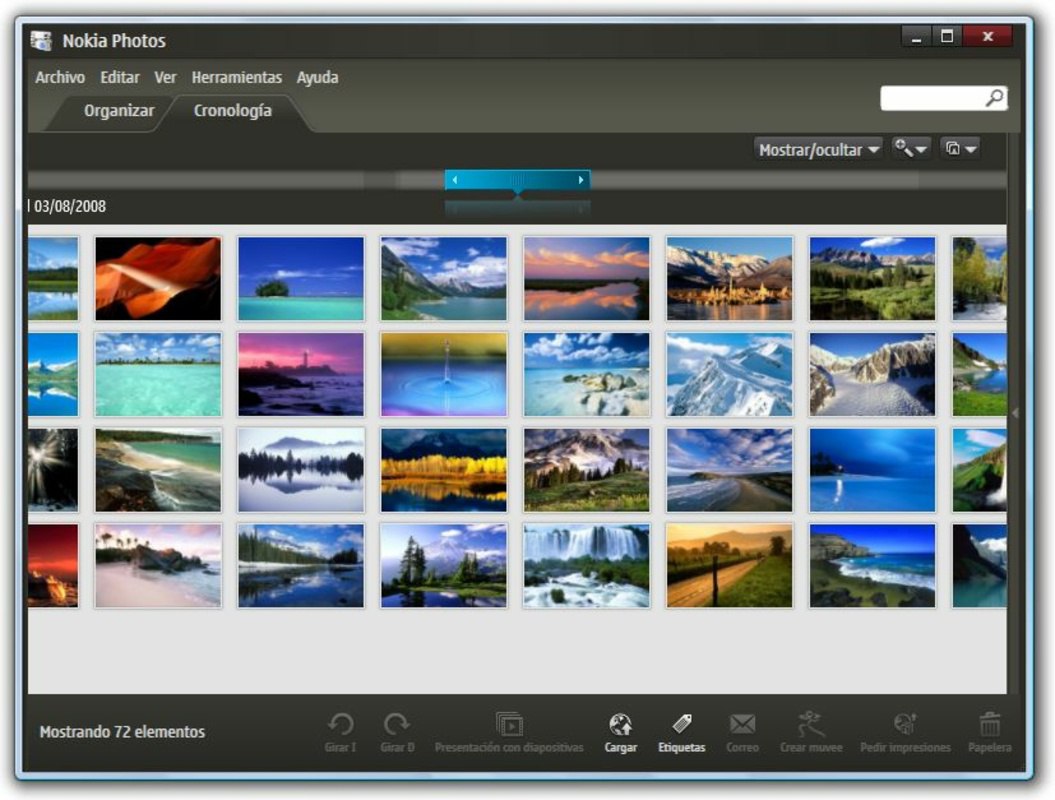
Nokia Photos is a mobile application designed to streamline the management and organization of digital photographs. Its primary purpose is to help users transfer images between devices, categorize photos into albums, and maintain an efficient digital library. The app addresses common challenges such as disorganized photo collections, limited device storage, and the difficulty of sharing media across platforms. By offering a simple interface and automated features, it enables users to preserve memories without the complexity often associated with digital file management.
Target users include individuals who frequently capture photos on their smartphones and seek a reliable way to organize, transfer, and store them. While originally developed for Nokia devices, the app is not restricted to a single brand, making it accessible to a broader audience. This versatility enhances its relevance in the mobile ecosystem, especially for users looking for a lightweight, functional tool that doesn’t require extensive technical knowledge.
The app was released on September 25, 2008, placing it among the early mobile photo management solutions. Although the developer did not provide additional background details, its longevity suggests a stable and consistent user experience. Real-world use cases include preparing photo collections for sharing, archiving vacation memories, and freeing up space on mobile devices by optimizing image resolution during transfers.
Key Features & Functionality
- Easy Photo Transfer: The app enables seamless transfer of photos between mobile devices and PCs, eliminating the need for complex file management. Users can connect their device via cable or wireless methods to move images quickly, maintaining a clean and organized library.
- Album Creation: With intuitive tools, users can create custom albums to group photos by event, location, or theme. This feature enhances searchability and makes it easier to revisit specific moments, such as family gatherings or travel experiences.
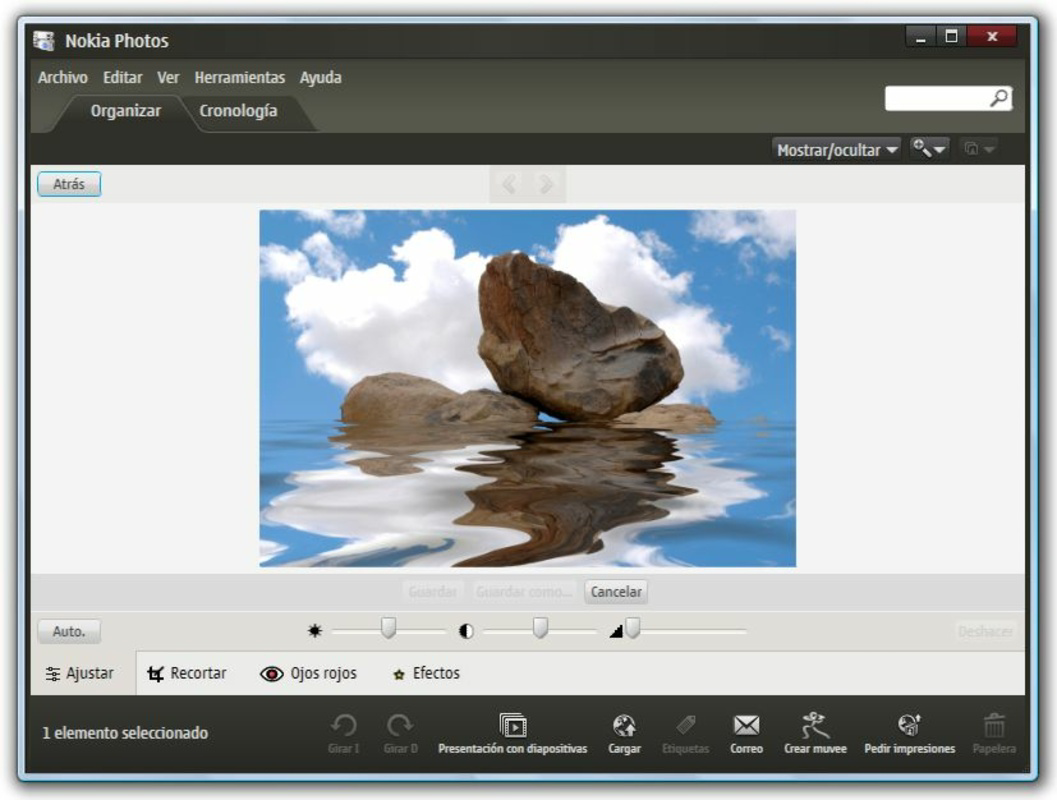
- Automatic Resolution Adjustment: During transfer, Nokia Photos automatically adjusts photo resolution to reduce file size without sacrificing visual quality. This is particularly beneficial for users with limited storage space, helping them manage large photo libraries efficiently.
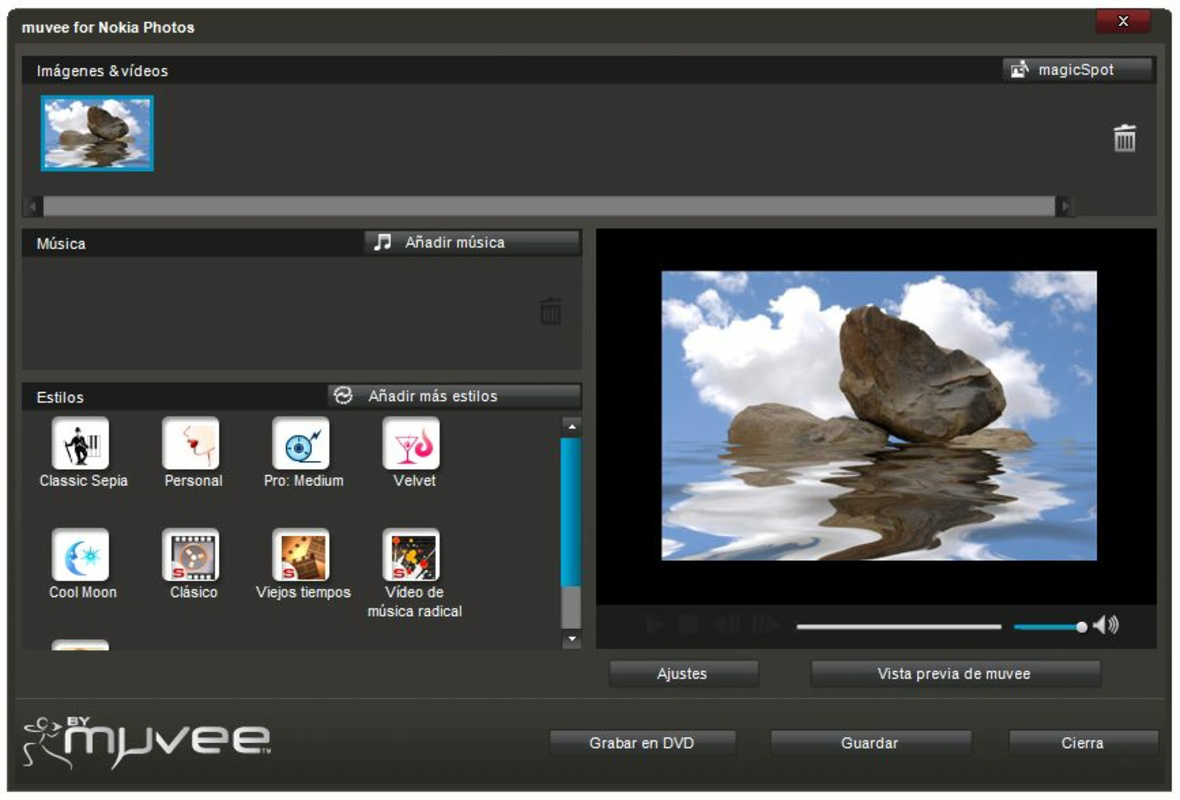
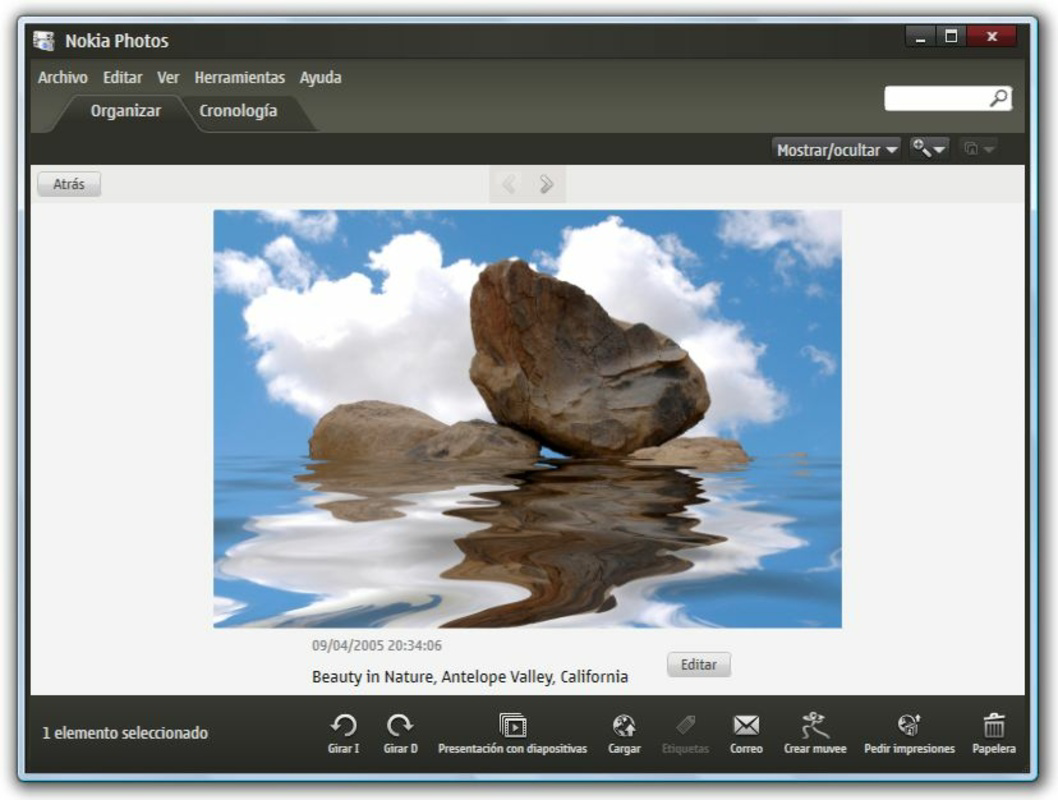
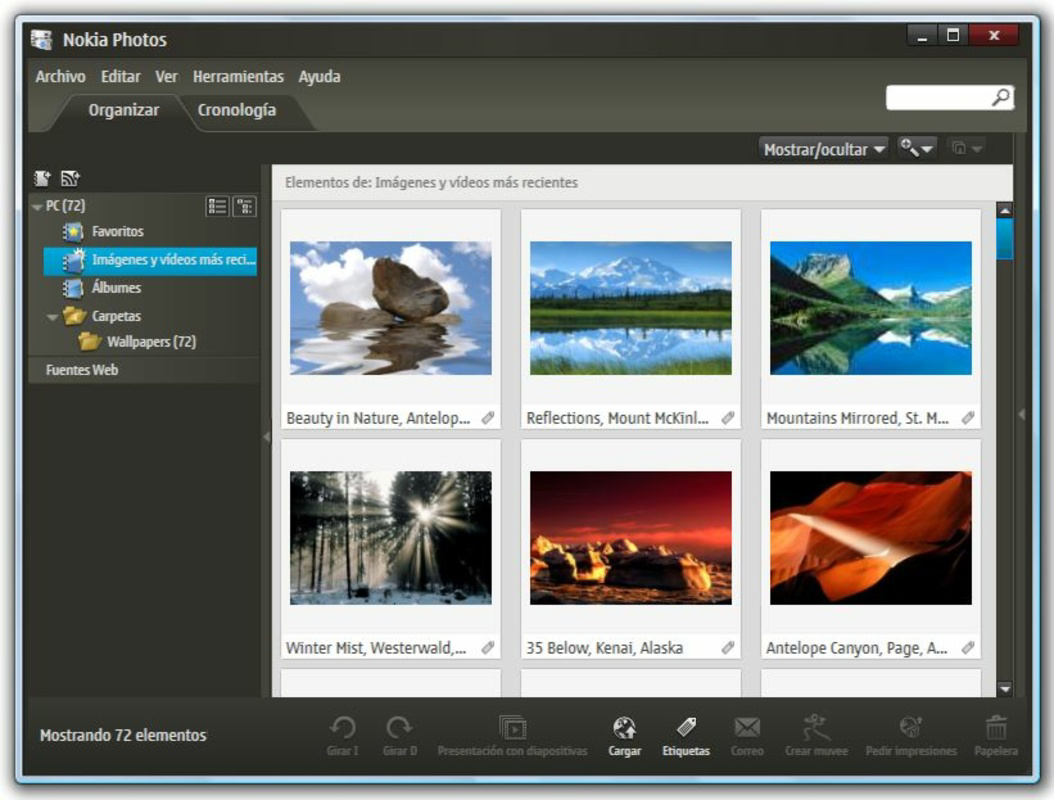
- Attractive User Interface: The app features a clean, visually appealing design with smooth navigation and engaging visual effects. This makes the process of managing photos more enjoyable, reducing the monotony often linked with digital organization tasks.
- Versatile Usage: Despite its origins with Nokia devices, the app functions effectively across various smartphone platforms. This broad compatibility allows users of different brands to benefit from its core functionalities, increasing its accessibility and practical value.
For example, a user preparing for a family reunion can use the album feature to group photos from past events, transfer them to a PC for backup, and adjust resolution to save space. Similarly, travelers can organize their photos by destination and transfer them securely without needing advanced technical skills.
Interface, UX & Performance
Nokia Photos presents a user interface that prioritizes simplicity and visual clarity. The layout is organized with intuitive icons and straightforward menus, allowing users to navigate between transfer, album, and settings sections with minimal effort. The visual style is clean and modern, featuring subtle animations and responsive touch feedback that enhance the overall experience.
Navigation is linear and predictable, with clear pathways from one function to another. Users can access albums, initiate transfers, and adjust settings without confusion. The app’s responsiveness is consistent across different device categories, although specific performance metrics were not provided by the developer. However, its long-standing presence in the market indicates a level of stability and reliability.
Although the developer did not list formal performance metrics, the app’s design suggests efficient resource usage. It likely operates smoothly on devices with moderate processing power and memory, making it suitable for older or budget-friendly smartphones. The app maintains stability during file transfers, minimizing crashes or freezes. Overall, the user experience remains focused on usability and efficiency, aligning with the expectations of a utility tool in the photo management category.
Platform Compatibility & Technical Requirements
Nokia Photos is available on multiple platforms, though specific details about OS versions and compatibility were not disclosed. The app’s file size is not specified, but given its function as a photo management utility, it likely occupies a moderate amount of storage space. The software version and release date are known, with the app first launched on September 25, 2008.
The developer did not specify minimum OS requirements or device compatibility beyond general platform availability. As such, users should verify compatibility with their specific device model before installation. While the app was initially tied to Nokia devices, its functionality extends to other brands, indicating broad platform support. However, the exact range of supported devices remains unclear due to limited technical disclosure.
Pros and Cons
Pros
- Simple and intuitive interface for easy navigation
- Efficient photo transfer between devices and PCs
- Automatic resolution adjustment to save storage space
- Supports album creation for better organization
- Compatible with non-Nokia devices, enhancing accessibility
Cons
- Specific technical requirements were not listed
- Performance metrics were not provided by the developer
- Compatibility details for newer OS versions were not disclosed
- Limited information on update frequency or future development
- Outdated release date may suggest minimal recent improvements
FAQ
Is Nokia Photos safe to download and use?
Yes, the app is designed as a secure utility for photo management. As a long-standing tool, it has been used by millions without reported major security issues. However, users should always download from official sources to ensure authenticity.
Can I use Nokia Photos on non-Nokia smartphones?
Yes, despite its origins with Nokia devices, the app is compatible with smartphones from other brands. This versatility allows users across different platforms to benefit from its core features.
Does Nokia Photos require an internet connection?
While the app may function offline for basic tasks like viewing and organizing photos, certain features such as cloud-based transfers or updates may require an internet connection.
How often is Nokia Photos updated?
The developer did not disclose the update schedule. Given the app’s release date in 2008, updates may be infrequent. Users should check the official source for the latest version.
Is Nokia Photos free to download and use?
The app’s pricing model was not specified. However, many similar photo management tools are available at no cost. Users should verify the current price on their app store.
Final Thoughts
Nokia Photos remains a practical and accessible solution for users seeking reliable photo organization. Its ability to transfer images, create albums, and optimize storage makes it a valuable tool in any digital workflow. While its age may reflect limited modern enhancements, its core functionality continues to serve users effectively. The app’s versatility across brands and its focus on usability give it a lasting appeal in the mobile utility space.
Individuals who prioritize simplicity, storage efficiency, and cross-device compatibility will find the most value in this app. Whether managing personal memories or preparing images for sharing, Nokia Photos delivers consistent performance without complexity.
Download Nokia Photos now
Guides & Tutorials
How to install Nokia Photos
- Click the Download button above.
- Once redirected, accept the terms and click Install.
- Wait for the Nokia Photos download to finish on your device.
How to use Nokia Photos
This software is primarily used for its core features described above. Open the app after installation to explore its capabilities.
User Reviews
No reviews yet. Be the first to share your experience.
You may also like
more
Que no te pillen¡
About !Que no te pillen¡Reviewed by Jason A. BilbreyShow MoreShow Less

3D Combat Zone
About 3D Combat ZoneOriginally released in 1983, 3D Combat Zone immerses players...

666: El día del portal
About 666: El día del portalOn June 6, 2006, Agent P. Stone uncovers a sinister...

80 in 1 Best Flash games
About 80 in 1 Best Flash games 80 in 1 Best Flash games is a collection of 80 fl...

ABYSS SEEKERーーWhat Do You See Deep in The Abyss
About ABYSS SEEKERーーWhat Do You See Deep in The AbyssIn ABYSS SEEKER, players...

ACA NEOGEO THE KING OF FIGHTERS 2002 for Windows
About ACA NEOGEO THE KING OF FIGHTERS 2002 for WindowsTHE KING OF FIGHTERS 2002,...